Every AV installation is already documented in a spreadsheet — devices, rooms, IP addresses,
switch ports. MonoLog reads that list and turns it into a live system: real-time status,
alerts, full history and reports, building by building and room by room.
Runs on your own server No cloud account required Windows service or desktop app
The problem
It started with a spreadsheet.
Everything is in there: every device, every room, every address. And it is all dead
knowledge — accurate the day it was written, silent every day after. Nothing in that file
tells you that the projector in the auditorium stopped answering twenty minutes ago.
Documentation describes the past
A device list records what was installed. It cannot tell you what is running right now,
and it quietly goes out of date from the day it is handed over.
Plain monitoring lacks context
A failed ping says an address is unreachable. It does not say which room just lost its
display, who is responsible for it, or what else went down at the same moment.
MonoLog connects both
Your inventory becomes the structure — buildings, floors, rooms, devices — and live
status flows into it. One system answers both questions.
How it works
Three steps, no rebuild of your documentation.
1
Import
Point MonoLog at the Excel list you already maintain. Buildings, floors, rooms, devices,
IP addresses, VLANs, switch and patch-panel ports come across in one pass — including
devices with several network ports.
2
Watch
Devices report their own status over UDP, MonoLog pings every documented address, and
device drivers read real telemetry where they exist — lamp hours, temperatures, inputs,
signal presence.
3
Act
Alerts reach the people who need them, related alerts are grouped into one incident,
notes stay with the device, and every report is one click and one print away.
What you get
An operations platform, not just an up/down check.
Live device status
UDP self-reports, ICMP ping and driver telemetry collapse into one honest status model:
online, warning, offline, unknown — and every card says which channel the answer came from.
Buildings, rooms & folders
The installation in the shape it really has: buildings grouped into campus folders, rooms
by floor, devices by room — plus photos so people recognise what they are looking at.
Alerts & incidents
One alert per device, correlated into a shared incident with a root-cause candidate when
several fail together. Notifications by email, Microsoft Teams or webhook.
Complete log & archive
Every event, filterable by building, room, device and category, with a long-term archive —
and each line marked as reported by the device or observed by MonoLog itself.
Reports that print
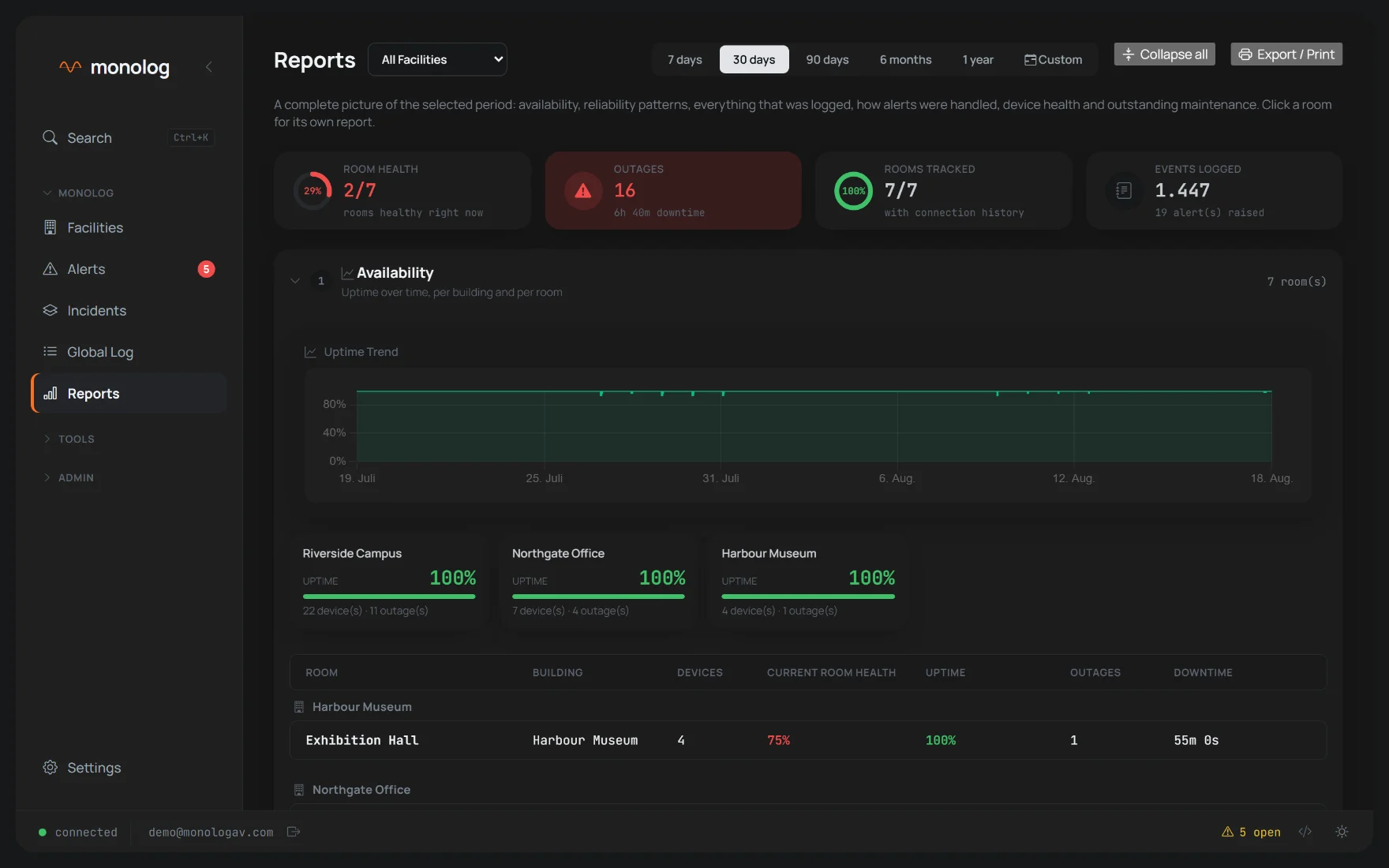
Availability per room, mean time to recovery, a reliability heatmap, devices that keep
flapping, outstanding maintenance — as one complete, print-ready document.
Device control
Where a driver exists: power, input, volume and routing straight from the browser — and
Room ON/OFF as one ordered sequence across every device in the room.
Network tools
LAN scanner to find what is actually on the network, a ping manager for everything else,
and switch, port and VLAN documentation per network interface.
Roles & security
Four roles from administrator to read-only, device credentials encrypted at rest, HTTPS
out of the box, and a licence tied to the installation — not to a cloud account.
Screens
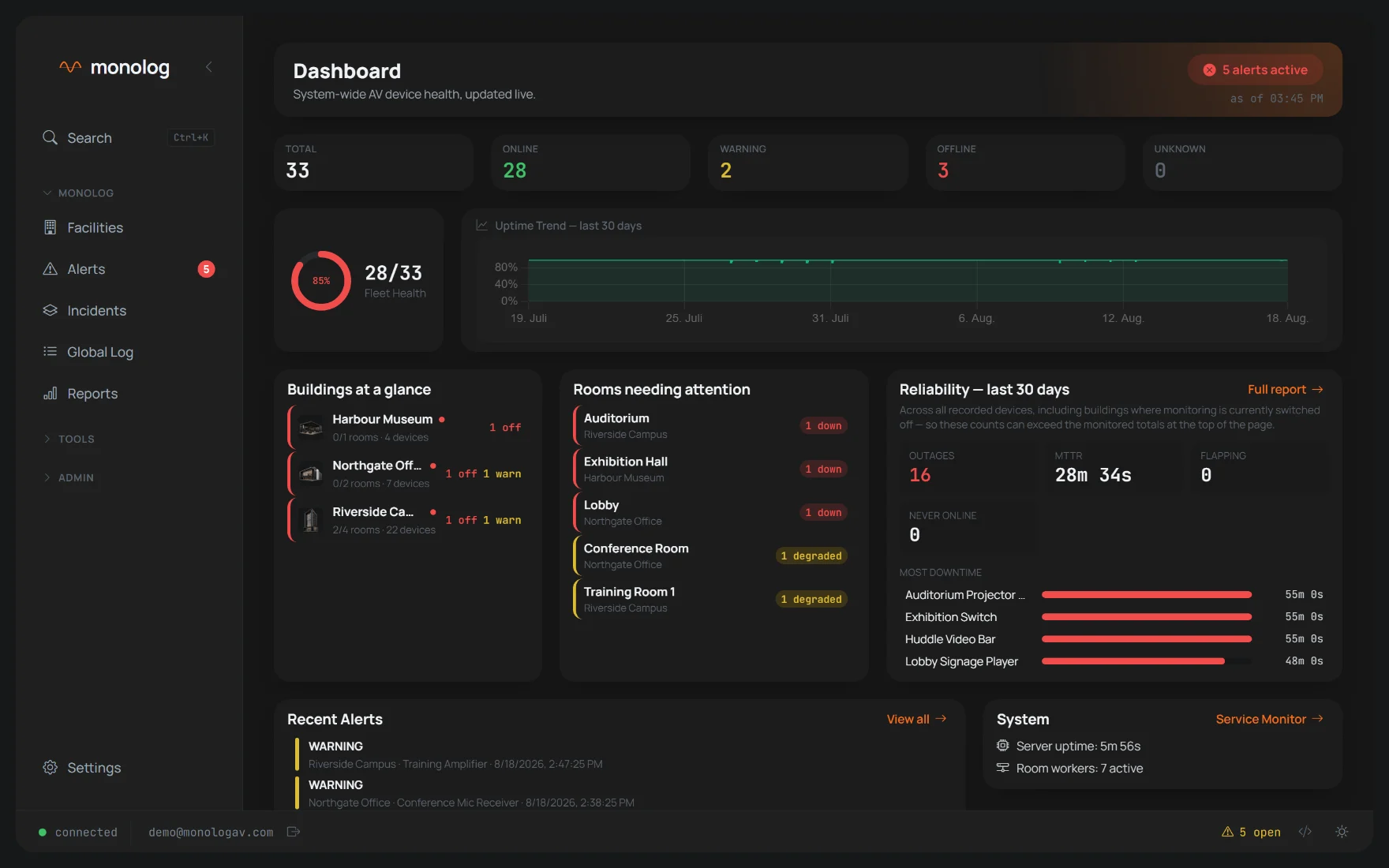
The whole installation, one browser tab.
No client to install. Shown here with a demonstration installation.
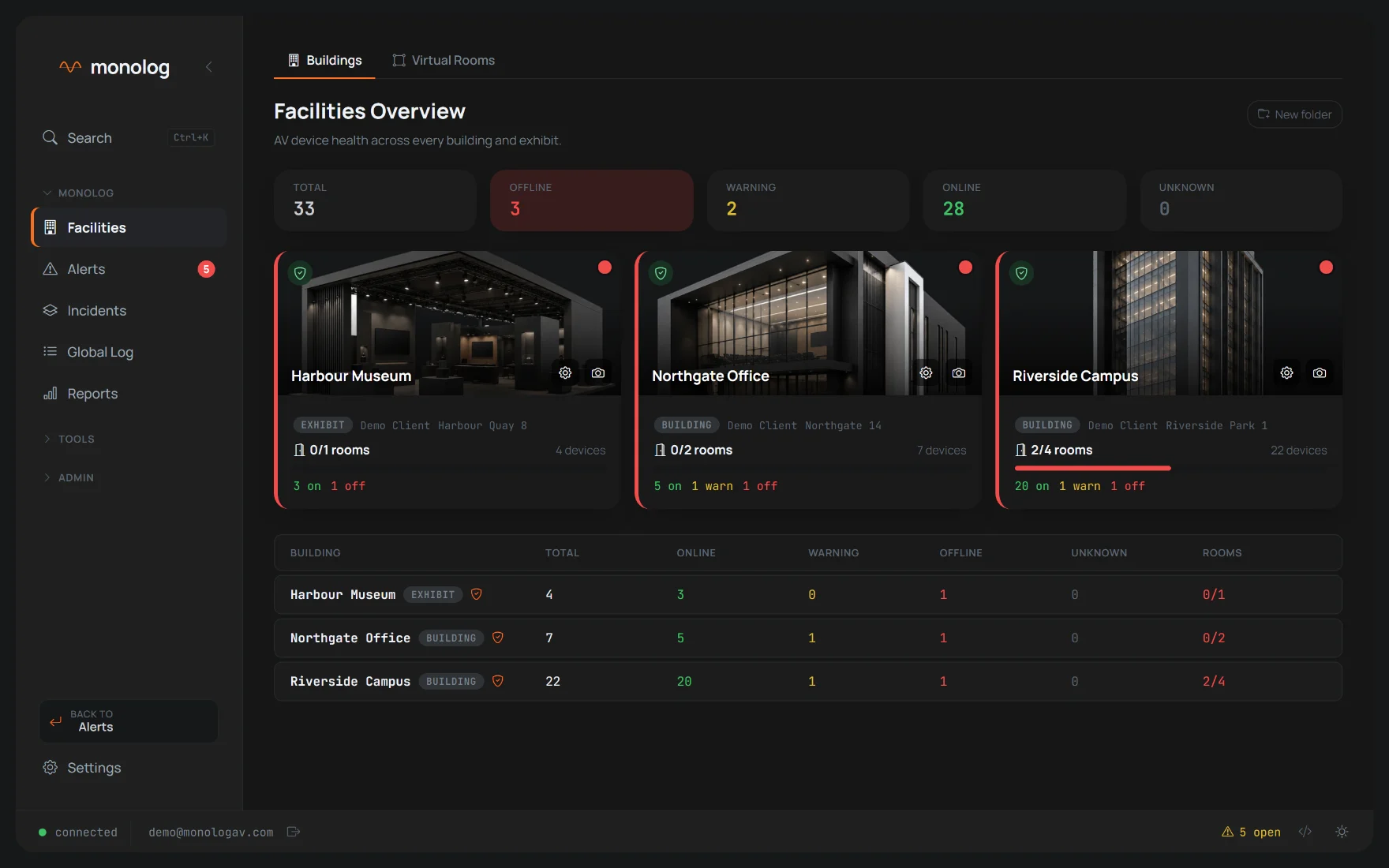
Facilities. Every building and exhibit at a glance — healthy rooms,
device counts and a red marker the moment something in there stops answering.
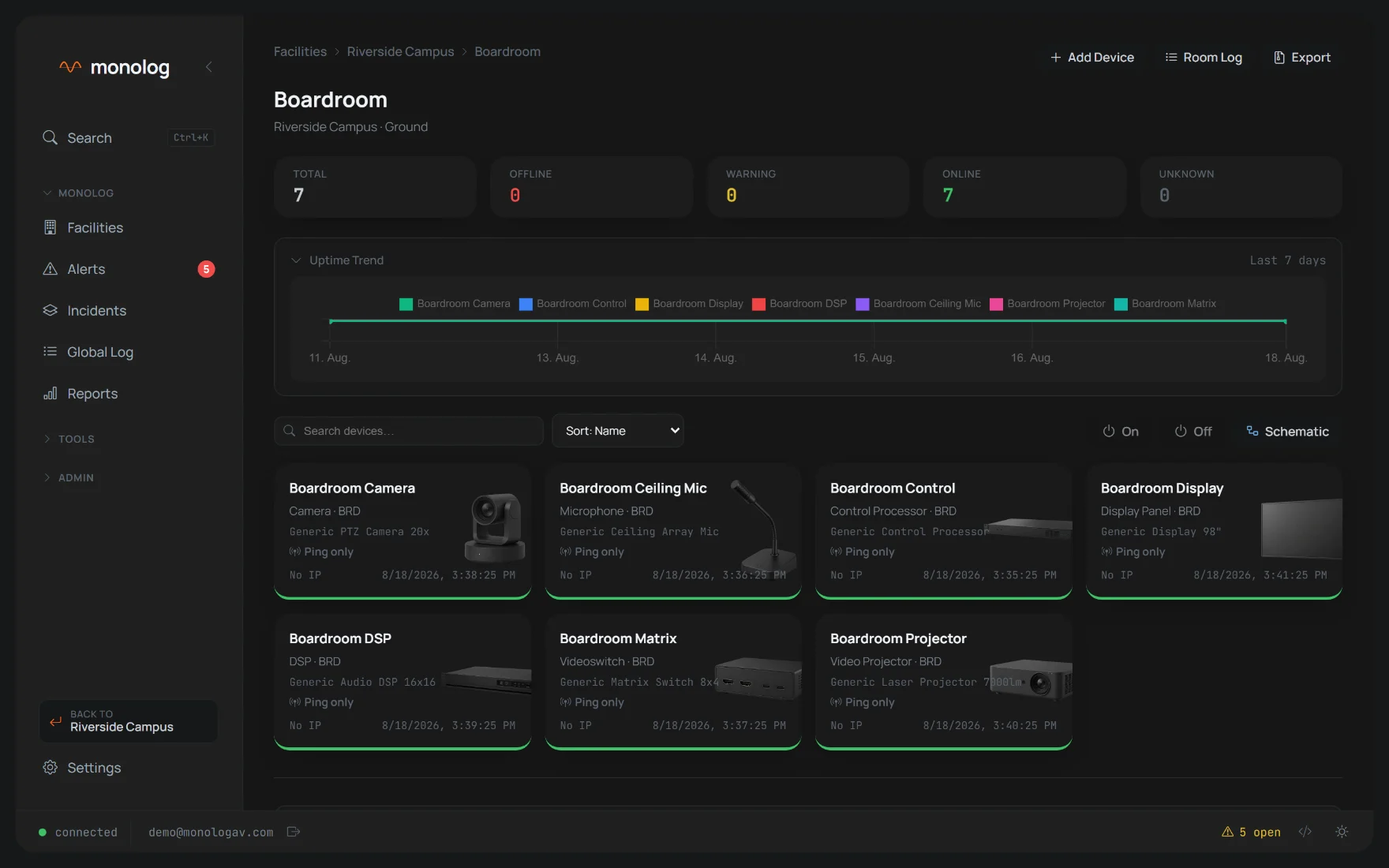
Room detail. Every device in the room, its live status and Room ON/OFF.
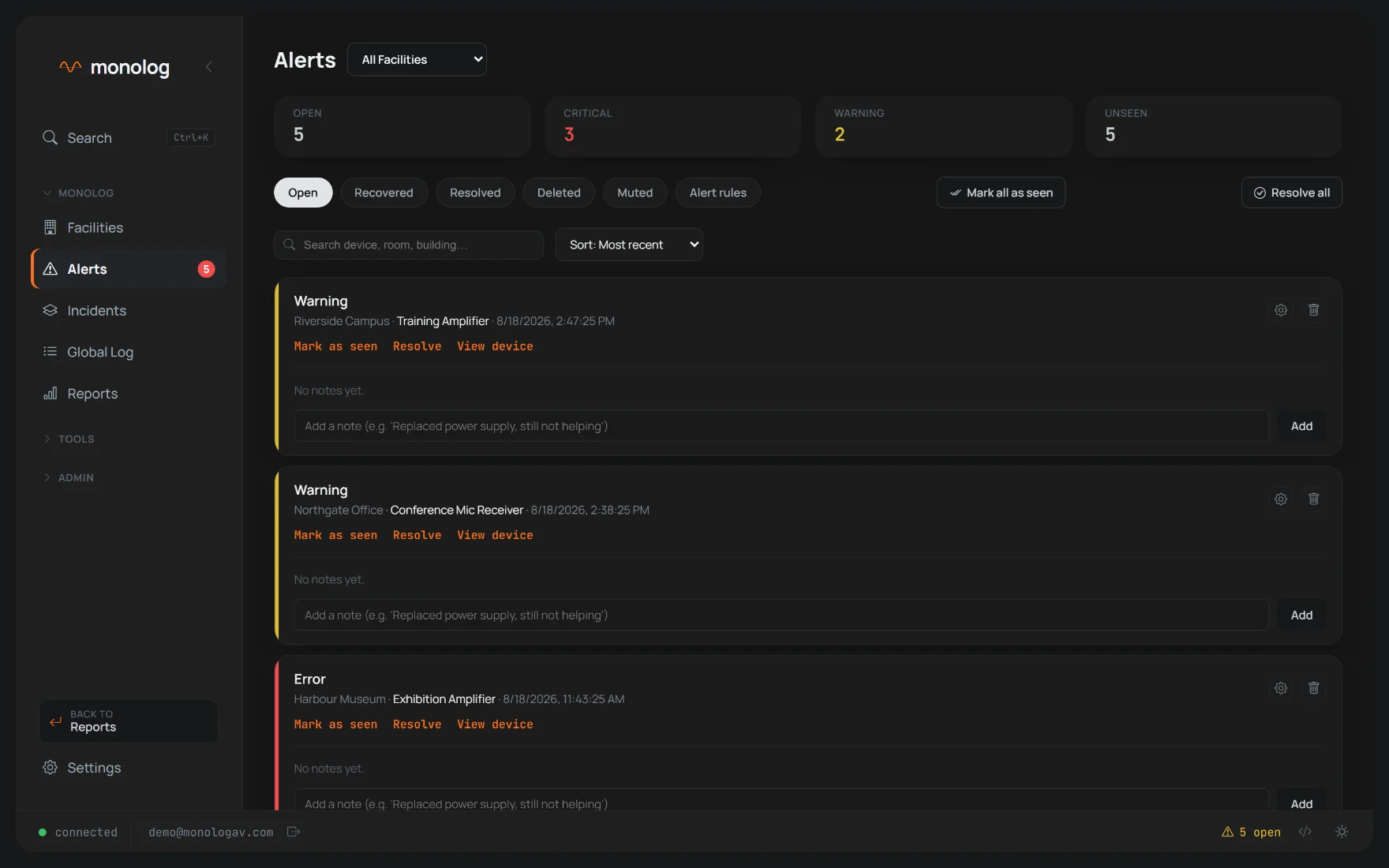
Alerts. Acknowledge, resolve, and keep the notes with the device.
Reports. Availability and reliability over any period, ready to print.
Deployment
Runs where your systems run.
MonoLog is installed inside the building it monitors. AV control networks are often
isolated by design — so nothing here depends on an internet connection, an external
database or a per-device subscription.
A planning companion for AV integrators is in preparation.
On premise Windows service or desktop application with a tray icon.
Browser based Operated from any browser on the network — no client software.
Self contained Embedded database, automatic backups, no external services to run.
Your data stays put Everything remains on the machine you installed it on.
Licensed per install One licence per installation, with a German user manual.
Demo
See it on your own device list.
Send a short message and we will arrange a walkthrough — ideally against a real device
list, so you see your own installation rather than a demonstration one.
A guided walkthrough of the running system, roughly 30 minutes.
An honest answer on which of your devices can be read and controlled today.
No account, no obligation, no automated follow-up mails.